






























When faculty at the University of Mississippi enable their courses in Blackboard for the spring 2026 semester, courses will be automatically created in Blackboard Ultra, the mobile-friendly Blackboard display with new tools and artificial intelligence features. Instructors will no longer have the option to choose between the modern or original versions of the digital learning management system.
The university set a spring 2026 deadline for faculty to switch their courses to Ultra from the original Blackboard course view. Ultra has been a welcomed new resource for faculty who have made the transition, but the platform change is daunting to some who have yet to do so.
Blackboard users can differentiate the Ultra format from the original course view by the cleaner user interface — a horizontally oriented, all-white layout with learning modules positioned in sequential order on course homepages.
Brian Hopkins, deputy chief information officer for academic technology at UM, said that Ultra has been available to the university since December 2021, when the university transitioned from operating Blackboard in its own data center to “running in the cloud,” or from a remote server.
The spring 2023 semester was the first term instructors were able to create courses in the Ultra format, according to Hopkins.
“There are a couple of things driving the change,” Hopkins said. “One of which is that Blackboard, the vendor, will not support two course formats forever, right? Yeah, they have been a little bit cagey about exactly when they’re going to stop supporting the old format, but we know that that day is coming, and we want to be prepared for it.”
Accessibility is another factor motivating the official format transition. Ultra courses, Hopkins said, better accommodate assistive technologies than original Blackboard courses.
“We provide a public service, and we have both a legal and a moral obligation to provide that student service to everyone who wants to use it, including people who have visual or hearing problems or limited motor skills or whatever it might be,” Hopkins said.
Hopkins did not have exact data on how many instructors or courses have yet to switch to Ultra, though he noted the significant progress made by faculty toward this goal.
Kyle Fritz, professor of public policy leadership, offered positive reviews for Ultra’s administrative features and page speed.
“Marking attendance is quite easy to do and just feels a little bit more polished and user-friendly,” Fritz said. “I think it’s easier for me as faculty to be able to look at it and make changes and update things.”
He also lauded the more seamless experience students have when navigating courses on the streamlined Ultra platform.
“I think it’s also easier for students to be able to find things; before I would have to just put all sorts of readings in a folder you have to sort of go through, but here I just put the readings in the module,” Fritz said.
Some professors, however, are reluctant to transition to Ultra from the original course view. Amitesh Singh is a Ph.D. candidate teaching science courses for the first time this semester. He was uninformed about the upcoming deadline to switch to Ultra, so he started building his course in the original Blackboard.
Largely, Singh has been unimpressed. He has opted to utilize Box for his coursework because of the collaborative nature of his class assignments.
“I would have loved to start with (this course) in Blackboard, but I don’t think it’s user friendly for students and for me,” Singh said. “I was trying to do some kind of interactive quizzes and polling, which Blackboard doesn’t provide, as far as I know.”
Blackboard Ultra does offer a tool called Collaborate Ultra, which may allow Singh to better employ the new platform in his courses. Collaborate Ultra provides virtual classrooms and meeting spaces for instructors and students. Instructors can facilitate live, interactive online learning sessions through the live chat and screen sharing available through this Ultra tool.
The platform also introduces an AI Design Assistant that aims to save instructors time building their courses, according to the Blackboard website. The AI Design Assistant gives instructors the option to auto-generate modules, modifying the level of content complexity and generating custom images. Instructors can also AI generate rubrics, journals, question banks, assignment prompts, test questions and more.
Auto-generating course modules may raise ethical concerns if teachers are using AI to create the content they are being paid to teach. As a philosophy professor in the public policy leadership department, Fritz expressed ethical concerns with both student and teacher usage of the AI features that come with Ultra.
“Obviously, I don’t want them to be using AI to write a paper or come up with their own arguments or come up with objections that I want them to think about, because the point is to get that critical thinking skill set,” Fritz said. “But I also try to make it clear for them that it’s a two-way street. It’s a trust thing. I’m not going to use AI to grade your papers. I’m not using AI to make my content. So you also should not use AI. Don’t give me AI to grade.”
Ultra also offers AI conversations, including role-play exercises and Socratic questioning.
“I appreciate what that tries to do, which is get students to think in various ways,” Fritz said. “But I also wouldn’t want them to feel like they don’t need to come to office hours or talk to me. … I don’t want that to be seen as a replacement for standard office hours or asking questions in class.”
Singh voiced concern for instructors who have yet to seek technological support and must switch to Ultra over winter break. While professors were first made aware of the deadline to transition to Ultra more than a year ago, some have stuck with the original course view out of habit or reluctance to change.
Simply copying and pasting courses from the old format to the new interface resulted in some unwanted formatting changes for many instructors. Fritz found it easiest to rebuild his courses in Ultra from scratch, which allowed him to reevaluate course content during the process.
“I knew that we were going to be switching over to Ultra, and I wanted to revamp those courses a little bit anyway and update some of the readings and what we cover,” Fritz said.
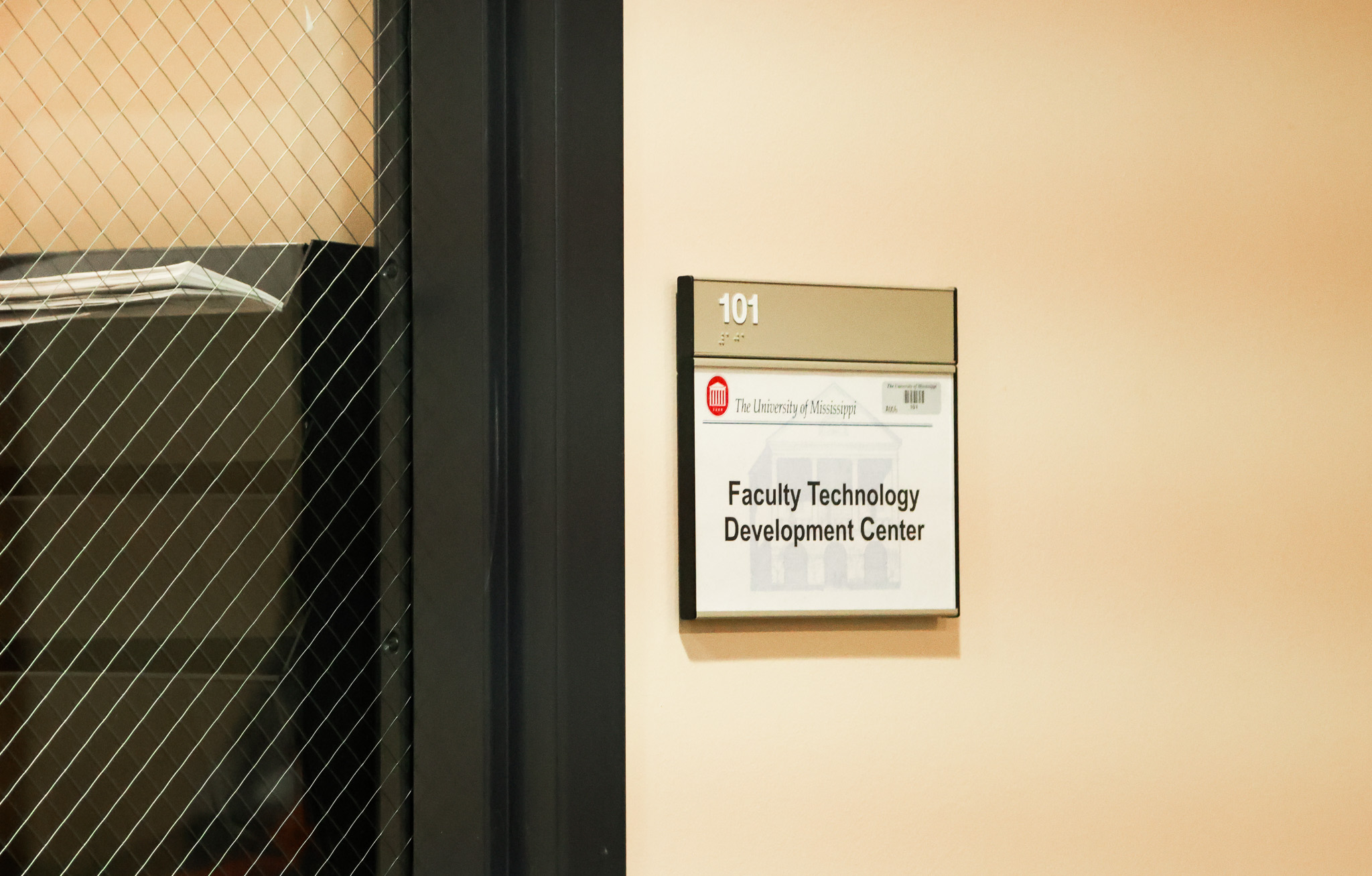
The Faculty Technology Development Center (FTDC), a team of three information technology professionals in Weir Hall, provides tailored assistance to instructors navigating the transition. Ultra training sessions via Zoom have been a popular option for instructors through the FTDC, though Hopkins highlighted the variety of resources offered outside of Zoom training.
“We will be as high or low touch as you want us to be,” Hopkins said. “If you’re an instructor and you want a lot of help building your course, then we’ll give you a lot of help building your course. If you’re an instructor and you feel confident that you can handle it and you want us to leave you alone except for individual, discreet questions that you have about how to do a specific thing, then we’ll answer those questions that come up.”